
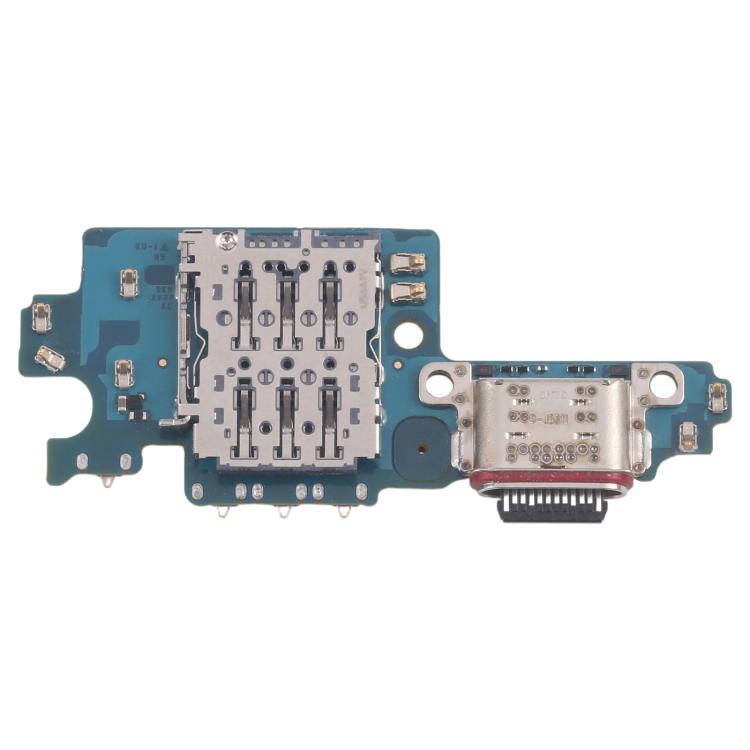
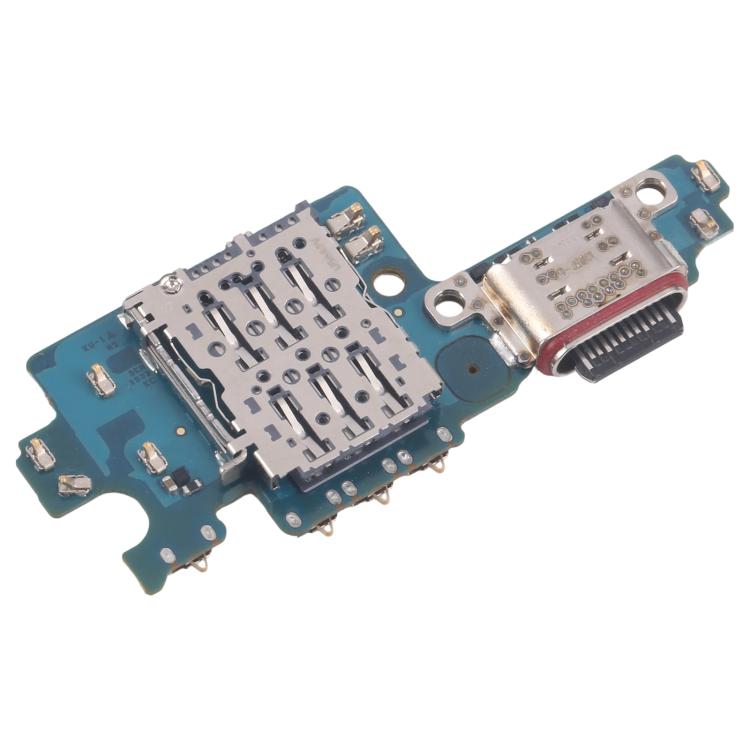
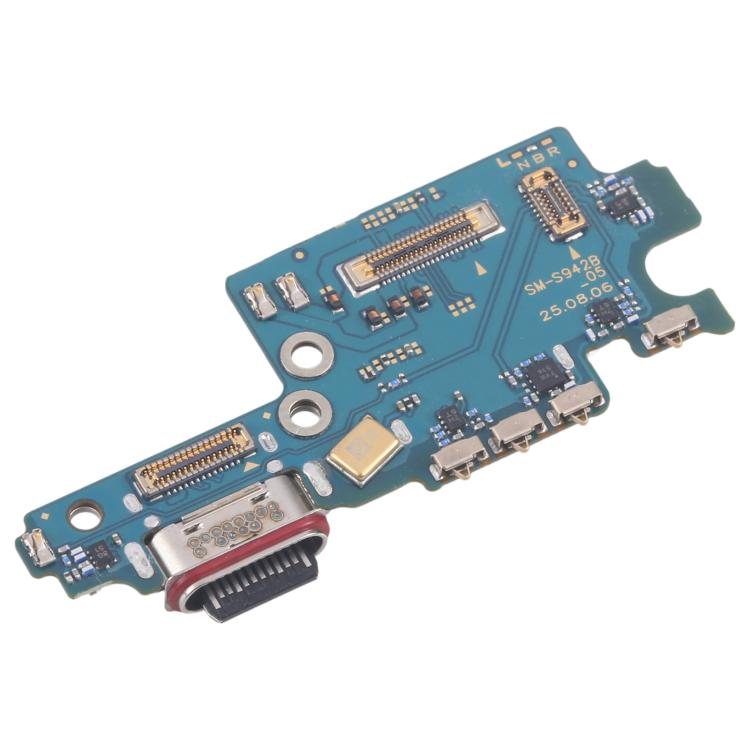
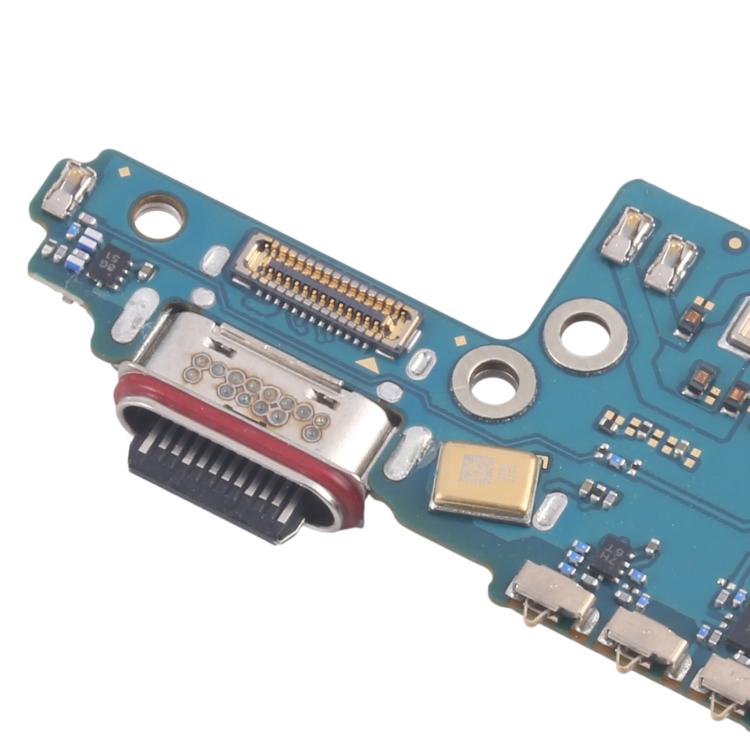

Charging Port Board
Samsung Galaxy S26 Charging Port Board Replacement
- Fits
- Samsung Galaxy S26
- Fixes
- Charging faults
- Quality
- Brand new, OEM quality
- Fitting
- Professional install
Overview
What this part is
The USB-C port on the Samsung Galaxy S26 sits on a small board at the bottom of the phone. Dirt, liquid or a worn cable can damage the pins, so the phone charges slowly, only at an angle, or not at all, and may not connect to a computer.
This replacement board fixes those port faults. First, clean the port gently with a wooden or plastic pick and try another cable and charger. If charging still fails, the board is a likely cause. The phone opens from the back, so the job needs heat, the right tools and new adhesive.
Compatibility
Specifications and compatibility
- Part
- Charging Port Board
- Compatible with
- Samsung Galaxy S26
- Model numbers
- SM-S942B
- Does not fit
- Galaxy S26+, Galaxy S26 Ultra, Galaxy S25 or any other model
- Fixes
- No charging, slow or intermittent charging, a loose cable, or no computer connection
- Does not fix
- A worn-out battery, a faulty charger or cable, or main board charging faults
- Quality
- Brand new, OEM-quality USB-C charging port board. Tested before dispatch.
- Brand
- Unbranded, compatible with Samsung Galaxy S26
- In the box
- 1 × USB-C charging port board. Tools and adhesive are not included.
- Colour
- As shown in the photos
- Installation
- Professional installation recommended
- Supplied by
- Supreme Phone Parts Ltd, Manchester, UK
Before you order
Is this the right part?
Signs it needs replacing
- The phone does not charge, or charges only at an angle
- The cable feels loose in the port
- Charging is much slower than before
- The phone is not recognised by a computer
How to check your model
Open Settings › About phone. The model name should read Galaxy S26 and the model number should be SM-S942B. The model number is also printed on the box.
The model number should start SM-S942. The Galaxy S26+ (SM-S947B) and Galaxy S26 Ultra use different charging port boards.
Professional installation
How a technician fits this part
- Power the Galaxy S26 off, remove the SIM tray and warm the edges of the back glass to soften the adhesive.
- Lift the back glass, remove the screws and covers, and disconnect the battery before anything else.
- Remove the lower covers and loudspeaker, disconnect the port board flex and unscrew the old board.
- Fit the new board, reconnect all flex cables and the battery, then test charging and USB data before sealing.
- Refit the covers and screws, apply new adhesive and press the back glass down evenly while it cures.
- Run a final check on the Galaxy S26: calls, signal, speakers, buttons, cameras and charging.
Check that the part matches the device before fitting it or removing any adhesive backing. Once a part has been fitted, it cannot be returned for a change of mind. Faulty parts are always covered.
FAQ
Frequently asked questions
Will this fit my Galaxy S26?
Yes, if Settings › About phone shows model number SM-S942B. It does not fit the Galaxy S26+, Galaxy S26 Ultra, Galaxy S25 or any other model.
Does it fit the Galaxy S26+?
No. The Galaxy S26+ (SM-S947B) uses a different charging port board. This part is for the Galaxy S26 (SM-S942B) only.
Will this fix a phone that does not charge at all?
Often, if the port is damaged. Try another cable and charger first. If the battery or main board is faulty, a new port board will not fix it.
Is it made by Samsung?
No. It is a brand new, OEM-quality USB-C charging port board made to fit the Galaxy S26, and every part is tested before dispatch.
Should I fit it myself?
We recommend professional installation. Opening a Galaxy S26 means heating and lifting the back glass, disconnecting the battery safely and resealing with new adhesive.
How quickly will it arrive?
Orders placed before 4pm on a working day are dispatched the same day from Manchester by Royal Mail Tracked. Delivery is free on UK orders from £5. Returns are accepted within 30 days from receipt.
Prepared by the Supreme Phone Parts team, Manchester. Last updated September 2026.