
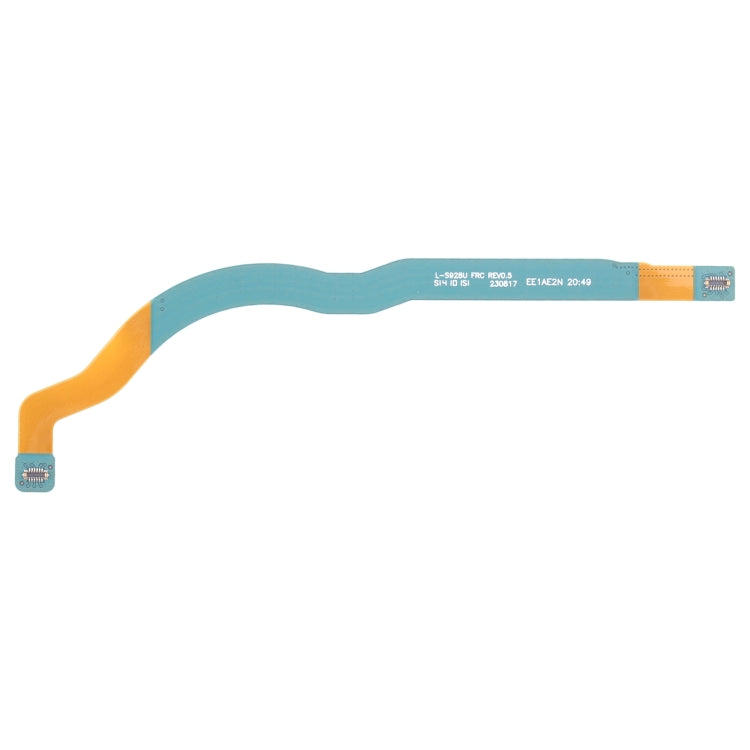
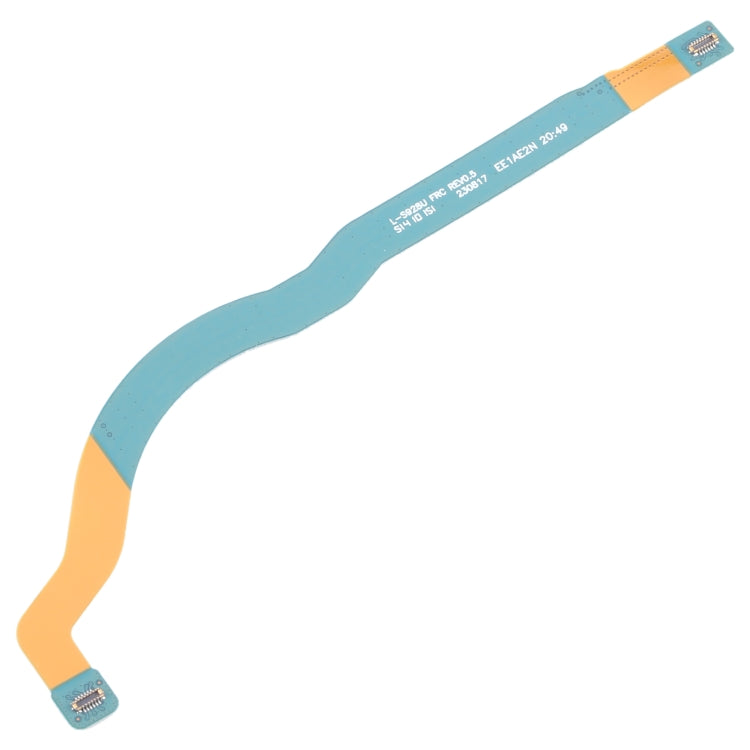
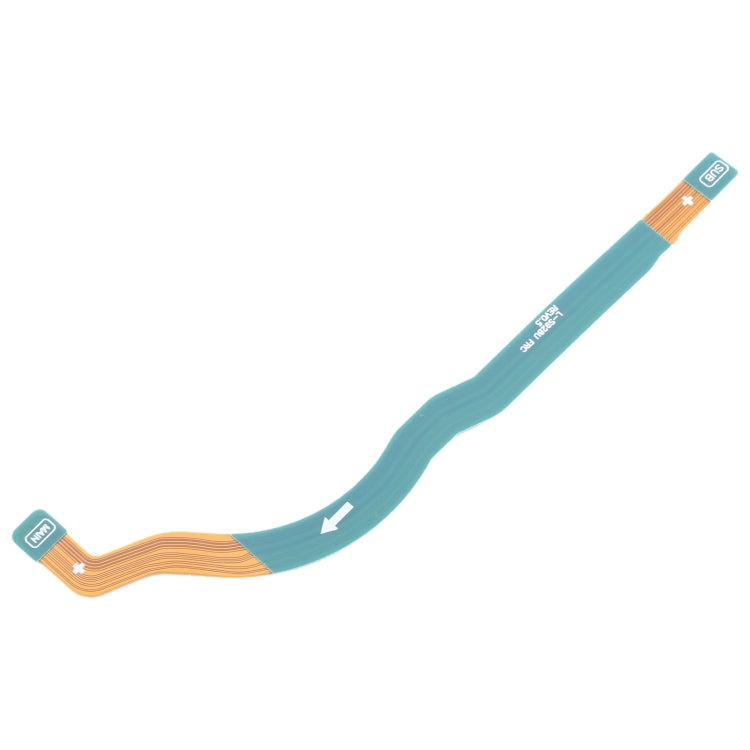
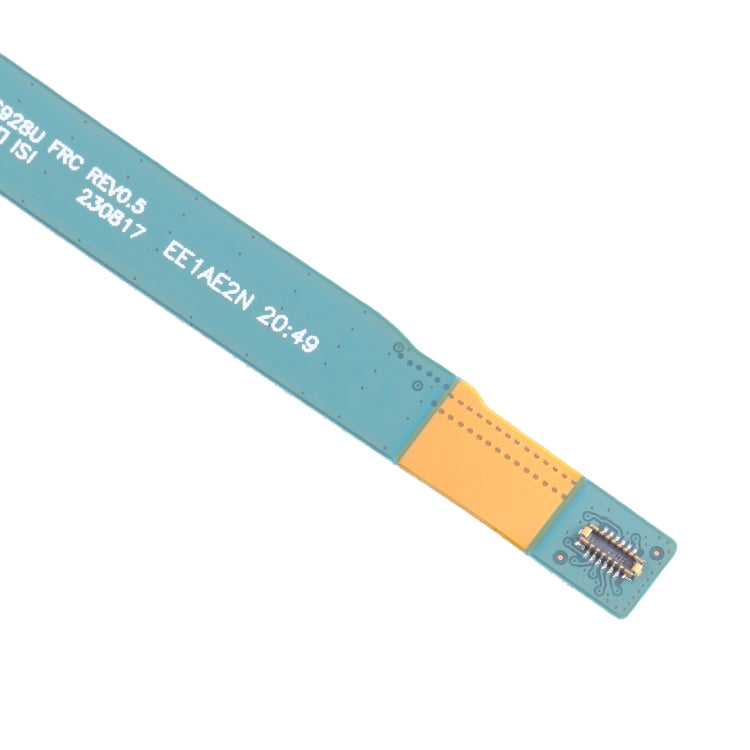

Signal Antenna Flex Cable
Samsung Galaxy S24 Ultra Signal Antenna Flex Cable Replacement
- Fits
- Samsung Galaxy S24 Ultra
- Fixes
- Weak signal
- Quality
- Brand new, OEM quality
- Fitting
- Professional install
Overview
What this part is
The Galaxy S24 Ultra uses thin antenna cables inside the phone to carry mobile signal between the antennas in the frame and the motherboard. A drop, a previous repair or liquid can crush, tear or loosen these cables, and signal becomes weak or drops out.
Before you buy, test a different SIM card and check that the network is working in your area. If signal is still weak or keeps dropping, especially after a repair or a drop, a damaged antenna cable is a likely cause. Compare the cable with the photos before fitting.
Compatibility
Specifications and compatibility
- Part
- Signal Antenna Flex Cable
- Compatible with
- Samsung Galaxy S24 Ultra
- Model numbers
- SM-S928B
- Does not fit
- Galaxy S23 Ultra, Galaxy S25 Ultra, Galaxy S24+ or any other model
- Fixes
- Weak, dropping or no network signal caused by a damaged antenna cable
- Does not fix
- A faulty SIM card, network outages or motherboard modem faults
- Quality
- Brand new, OEM-quality signal antenna flex cable for the Samsung Galaxy S24 Ultra. Tested before dispatch.
- Brand
- Unbranded, compatible with Samsung Galaxy S24 Ultra
- In the box
- 1 × signal antenna flex cable for the Galaxy S24 Ultra. Check the photos for any tools or adhesive included.
- Colour
- As shown in the photos
- Installation
- Professional installation recommended
- Supplied by
- Supreme Phone Parts Ltd, Manchester, UK
Before you order
Is this the right part?
Signs it needs replacing
- Signal bars are much lower than on other phones in the same place
- Calls drop or mobile data cuts out often
- Signal became weak after a drop or a previous repair
- The phone shows 'No service' with a working SIM
How to check your model
Open Settings › About phone. The model name should read Galaxy S24 Ultra and the model number should start SM-S928.
The Galaxy S24 Ultra has a 6.8-inch screen, four rear cameras and a built-in S Pen.
Professional installation
How a technician fits this part
- Power the phone off, then warm the back glass and lift it with a suction cup and a thin pick.
- Disconnect the battery before touching any other connector.
- Unclip the old antenna cable at both ends and lift it out of its channel.
- Route the new cable in the same channel and press each end home.
- Check signal, calls and mobile data before closing the phone.
- Apply new adhesive, refit the back glass and press evenly while it cures.
Check that the part matches the device before fitting it or removing any adhesive backing. Once a part has been fitted, it cannot be returned for a change of mind. Faulty parts are always covered.
FAQ
Frequently asked questions
Will this fit my Galaxy S24 Ultra?
Yes, if Settings › About phone shows Galaxy S24 Ultra with model number SM-S928B. It does not fit the Galaxy S23 Ultra, Galaxy S25 Ultra or Galaxy S24+.
Does it fit the Galaxy S23 Ultra?
No. The Galaxy S23 Ultra looks similar but has a different frame and internal layout. This part is for the Galaxy S24 Ultra only.
Will this fix 'No service'?
It can, if the cause is a damaged antenna cable. If the SIM is not detected at all, the fault may be the SIM reader or the SIM card instead.
Is it made by Samsung?
No. It is a brand new, OEM-quality signal antenna flex cable made to fit the Samsung Galaxy S24 Ultra, and every part is tested before dispatch.
Should I fit it myself?
We recommend professional installation. The back glass has to be heated and lifted, new adhesive is needed, and the battery must be disconnected before any flex cable is touched.
How quickly will it arrive?
Orders placed before 4pm on a working day are dispatched the same day from Manchester by Royal Mail Tracked. Delivery is free on UK orders from £5. Returns are accepted within 30 days from receipt.
Prepared by the Supreme Phone Parts team, Manchester. Last updated September 2026.