

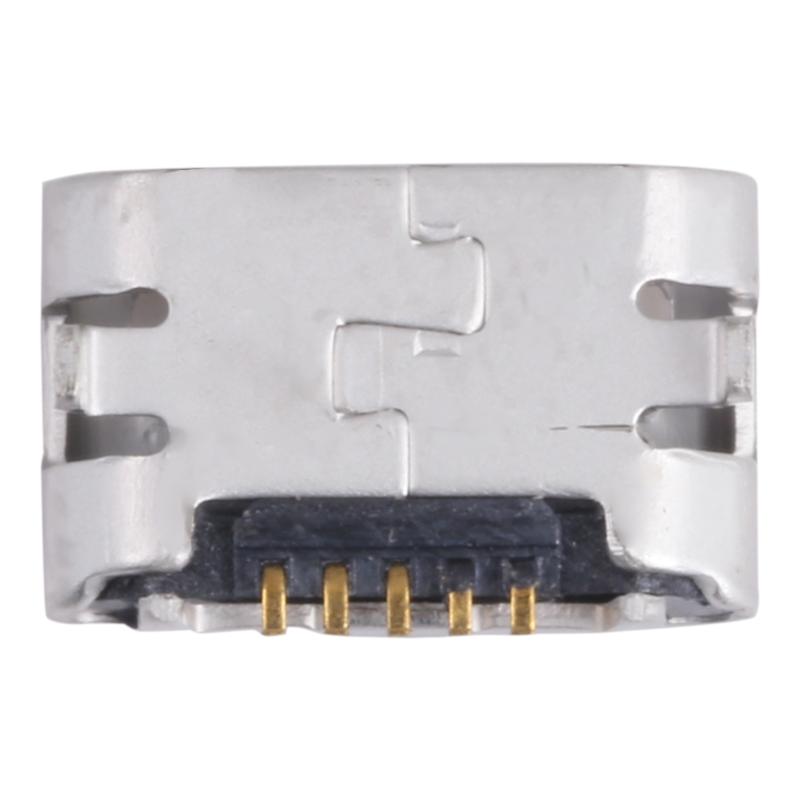
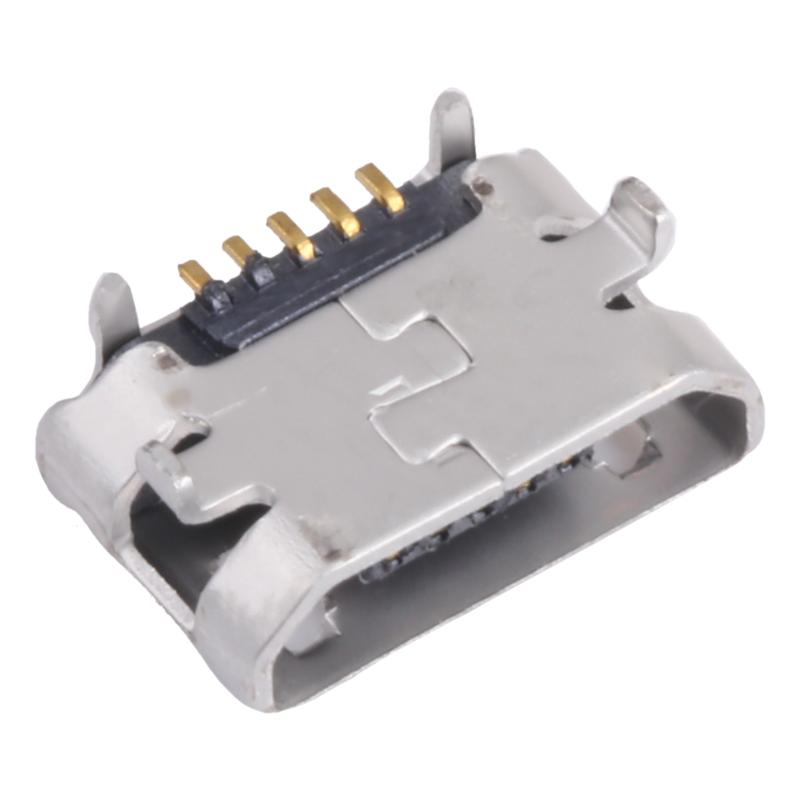
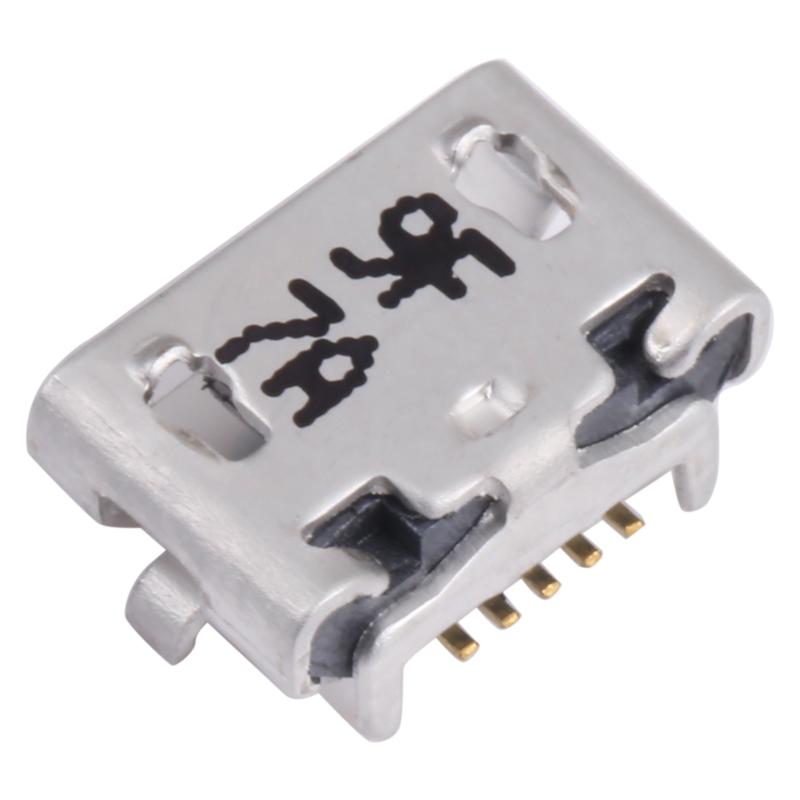
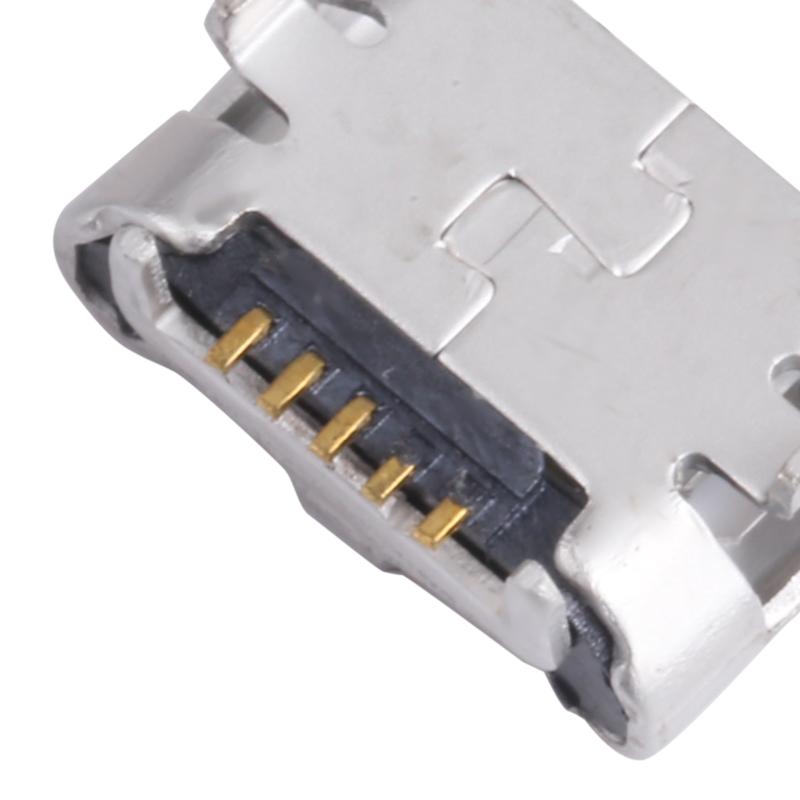

Charging Port Connector
ASUS Memo Pad 7 ME170 Charging Port Connector Replacement
- Fits
- ASUS Memo Pad 7 ME170
- Fixes
- Loose charging socket
- Quality
- Brand new, OEM quality
- Fitting
- Professional install
Overview
What this part is
The ASUS Memo Pad 7 ME170 charges and connects to a computer through a micro-USB socket. With daily use the socket wears, the cable becomes loose, and the pins inside can bend or break, especially if the tablet is used while charging.
This part is the connector on its own. The old socket must be desoldered from the board and the new one soldered in place, so it is a job for a technician with a hot-air station or a fine soldering iron. If the tablet still will not charge with a known good cable and a clean port, the battery or charging circuit may be at fault instead.
Compatibility
Specifications and compatibility
- Part
- Charging Port Connector
- Compatible with
- ASUS Memo Pad 7 ME170
- Model numbers
- ME170 · K012
- Does not fit
- Other Memo Pad models, ZenPad models or any other tablet
- Fixes
- A loose, worn or broken micro-USB socket, or charging that only works at an angle
- Does not fix
- Battery, charging circuit or main board faults
- Quality
- Brand new, OEM-quality charging port connector. Tested before dispatch.
- Brand
- Unbranded, compatible with ASUS Memo Pad 7 ME170
- In the box
- 1 × micro-USB charging port connector.
- Colour
- As shown in the photos
- Installation
- Professional installation recommended
- Supplied by
- Supreme Phone Parts Ltd, Manchester, UK
Before you order
Is this the right part?
Signs it needs replacing
- The cable is loose or falls out of the socket
- Charging only works when the cable is held at an angle
- The pins inside the socket are bent or broken
- The computer does not detect the tablet over USB
How to check your model
Open Settings › About tablet (or Settings › About). The model should read ME170 or K012. The model number is also printed on the label on the back of the tablet.
The Memo Pad 7 ME170 is a 7-inch tablet with a micro-USB port.
Professional installation
How a technician fits this part
- Power the tablet off and carefully unclip the back cover with a plastic opening tool.
- Disconnect the battery before touching the board.
- Desolder the old micro-USB connector with hot air or a fine iron, and clean the pads.
- Solder the new connector in place and check every pin for bridges.
- Reconnect the battery and test charging and USB data before closing.
- Clip the back cover back on evenly.
Check that the part matches the device before fitting it or removing any adhesive backing. Once a part has been fitted, it cannot be returned for a change of mind. Faulty parts are always covered.
FAQ
Frequently asked questions
Will this fit my Memo Pad 7?
It fits the ASUS Memo Pad 7 ME170 (model K012). Check Settings › About tablet or the label on the back. Other Memo Pad 7 versions may use a different port.
Does it fit the ME170C?
The supplier lists this part for the ME170 (K012). Check the model on the back label, and compare the port on your board with the photos before you buy.
Is this a flex cable or the bare port?
It is the bare micro-USB connector. It is soldered to the board, so it needs soldering skills and the right tools to fit.
Is it made by ASUS?
No. It is a brand new, OEM-quality charging port connector made to fit the Memo Pad 7 ME170, and every part is tested before dispatch.
Should I fit it myself?
We recommend professional installation. The old port has to be desoldered and the new one soldered on, which needs a hot-air station or a fine soldering iron.
How quickly will it arrive?
Orders placed before 4pm on a working day are dispatched the same day from Manchester by Royal Mail Tracked. Delivery is free on UK orders over £5. You can also collect from our shop at 33 Moulton Street, Manchester M8 8FQ.
Prepared by the Supreme Phone Parts team, Manchester. Last updated September 2026.